ALSA and a Typical Sound Issue
ALSA
Linux OS uses a subsystem dedicated to sound that forms an interface for sound related applications (aka API: Application Programming Interface). It manages the relation between sound input and output hardware, like speakers and microphone, the overall operation system software (the specific Linux distro that is being used), and media applications, like, for example, videoplayers in browsers and offline video- or audioplayers. This sound subsystem, in most Linux distributions, is the Advanced Linux Sound Architecture, or ALSA.
- alsamixer
- aplay
- arecord
- alsactl
- amixer
ALSA comes with several utilities that are an essential part of the system's audio configurations:
management of audio volumes
audioplayback in several formats
audiorecording
managing of sound card settings
controlling of sound card mixer settings
Additional Supportive Applications
Pulseaudio
Just ALSA is sufficient to run sound in linux and does not need Pulseaudio. However, Pulseaudio enhances the audio experience by providimg a few improvements:
- seperation of volume controls for each running application
- support for a large number of audio sources
- discovering of other computers on the local network and play sound through their speakers
- changing of output device while they are playing sound
- scripting capabilities
- sound daemon that can be reconfigured with command line
- sample conversion and resampling
- combinement of multiple sound cards into one
- synchronizing of multiple playback streams
- bluetooth audio device support with dynamic detection
- system wide equalization
Pipewire
Pipewire is a replacement to Pulseaudio, although they can still be used together. Pipeweire, just like Pulseaudio, exists on top of ALSA. This software basically fulfills more or less the same tasks as Pulseaudio, but is newer, more advanced, and does it better.
The input/output sequence, and where ALSA comes into play
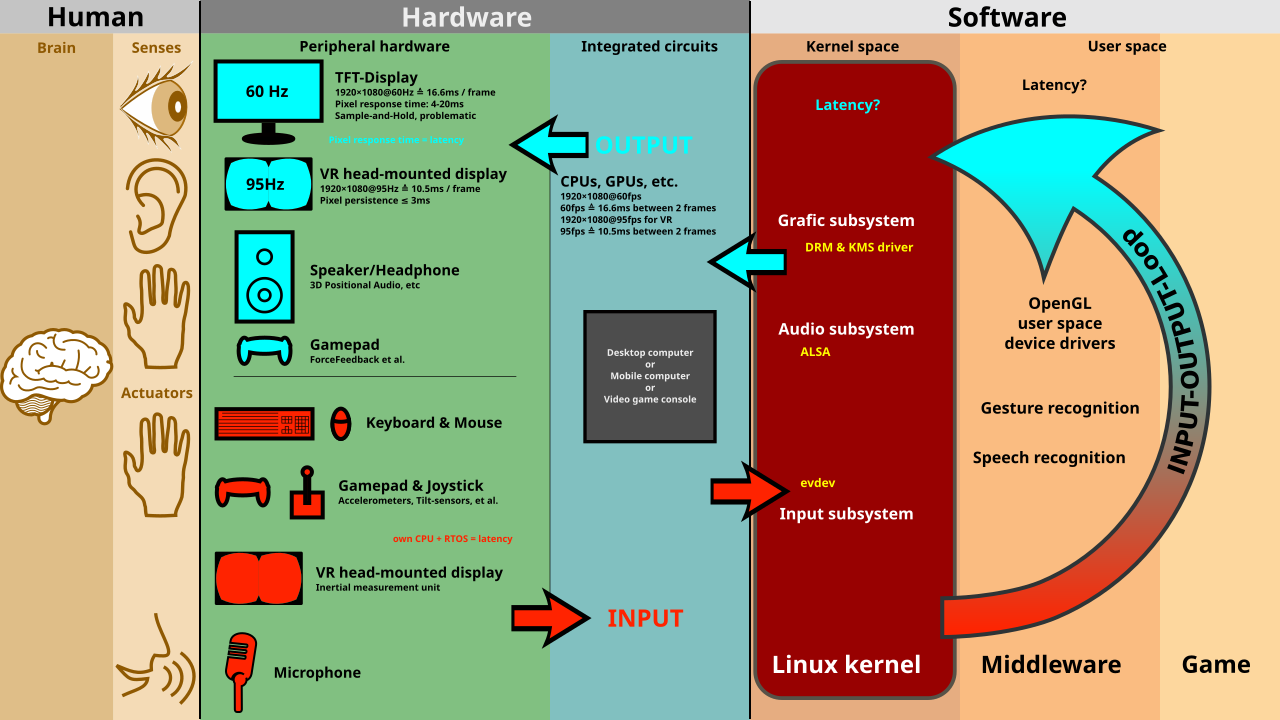
(Drawing by Shmuel Csaba Otto Traian)
A Typical Sound Issue
I am currently experiencing an annoying, system-wide, video/audio playback bug: every video or audio track I play, whether it be in YouTube or in VideoLan etc., makes cracking noises and skips regularly. To remedy this I want to reset my audio configuration. I will list all the steps I udnertake beneath, untill resolution.
STEP 1: Getting an Overview of What I Have Installed
Step 1.1 = Open up the terminal

Step 1.2 = check whether ALSA, Pulseaudio and Pipewire are installed
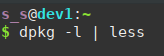
Step 1.2 = output: ALSA

Step 1.2 = output: Pulseaudio

Step 1.2 = output: Pipewire

Conclusion
All three are installed. I wonder maybe Pulseaudio and Pipewire are interfering with one another, since they overlap in functionality and purpose. I decide that I am first going to dismantle the sound setup: first uninstall the upper layer, which is Pipewire, and see if that solves the issue. If it does not, I will also uninstall Pulseaudio. If that again did not help, I will have to look for other causes..
STEP 2: Getting Rid of Pipewire
Step 2.1 = open up the terminal
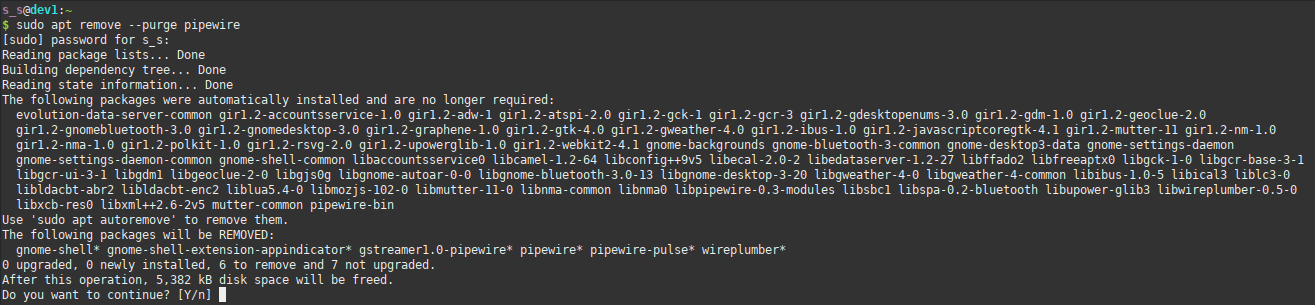
Step 2.2 = uninstall pipewire

Step 2.2 = output: Pipewire uninstall confirmation
STEP 3: Check Whether the Sound Bug Prevails
I checked with an offline audio-video, and the problem is still there. To be sure that no processes based on pipewire are still running, I will restart my system and try again.
After restart I again play the same video and the issue is still there. Then I check with YouTube, but hey there the skipping is not happening. I come to the conclusion that the video might have ingrained the bug in it since I downloaded it from the web. I watched the same video in YouTube, and nope, no skipping. I then downloaded the video again and played it offline. Nope, no skipping. The crackings are still happening, but these could be caused by my speakers, I do not know.
Final Conclusion
The cracks do not happen often and do not really disturb me. The skipping was particularly annoying since videos would skip seconds forward, which made it impossible to properly listen to music, or the news for example. So probably it indeed was the combination of Pulseaudio and Pipewire that caused the skipping, due to them overlapping. I am satisfied with the new state of my audio and will now again shift my attention to PCB Design.